
AllianceHub V4.0 Release: Group Announcements and Offline Ballot Archiving for Smoother Collaboration
Group members need a convenient place to check working arrangements. Ballots completed offline need a lasting record. When business emails encounter delivery issues, the people involved need enough information to follow up. AllianceHub V4.0 addresses these everyday needs with Group announcements, offline ballot archiving, broader email issue notifications, and improvements to business creation and personnel management.
I. Group Announcements Make Everyday Guidance Easier to Find
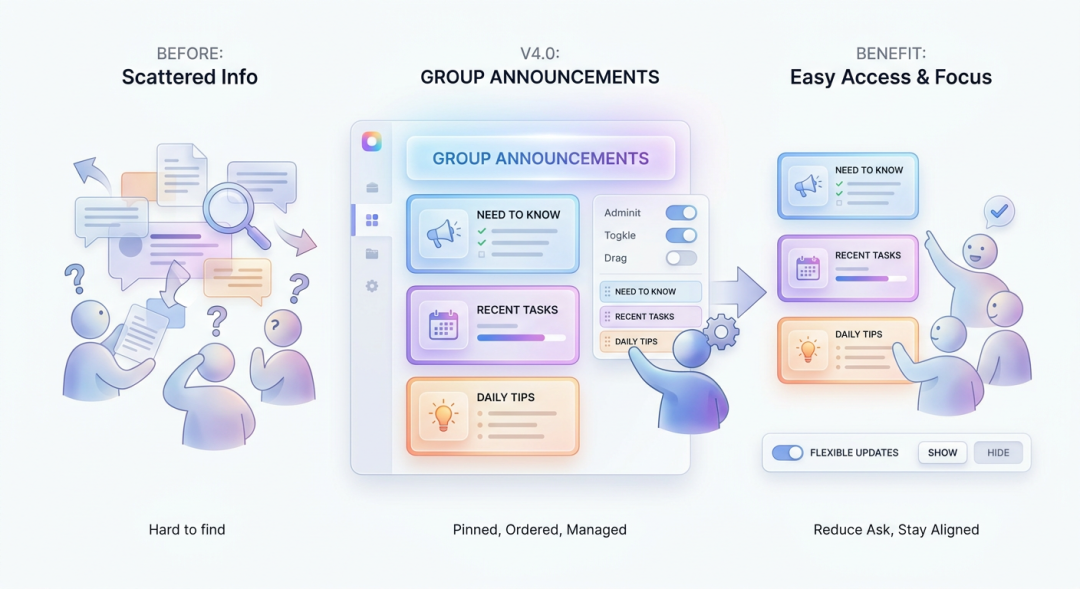
Participation guidelines, upcoming work arrangements, and recurring reminders often need to remain accessible throughout a Group’s activities. V4.0 adds an announcement card to Group Activities, giving this information a consistent place on the Group homepage.
Group administrators can enable the card, choose its position, and maintain its text as working arrangements change. Members can then consult the announcement when visiting the homepage, reducing the need to search for guidance or ask the same questions again.
Announcements can also be hidden when they are no longer needed on the homepage. This gives administrators a practical way to keep Group information relevant and direct members’ attention to current priorities.
II. Archive Completed Offline Ballots Alongside Related Work
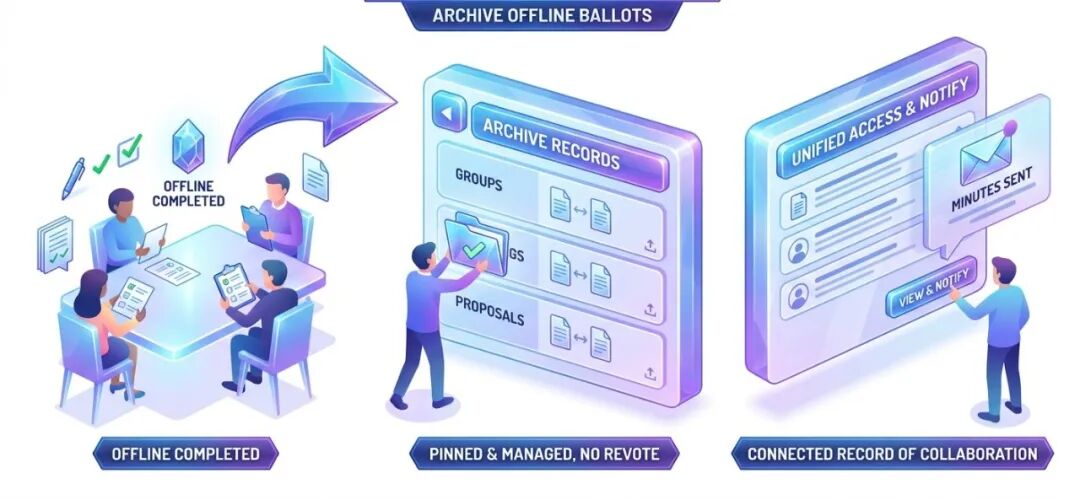
Organizational decisions are not always made through online voting. Ballots completed at an in-person meeting or in another offline setting still produce materials, records, and outcomes that people may need to consult later.
V4.0 allows authorized users to add records of completed offline ballots within Groups, meetings, and proposals. They can provide the ballot information and upload supporting materials and minutes, keeping the documentation connected to the work it belongs to.
These entries serve as archival records. Outcomes and supporting records are retained in the ballot materials and minutes, without starting a new online vote. When participants need to review the archived information, administrators can also send a minutes notification.
By keeping documentation from online and offline ballots within the same platform, organizations can maintain a more connected record of their collaborative work.
III. Bring Business Users Into Email Issue Follow-Up
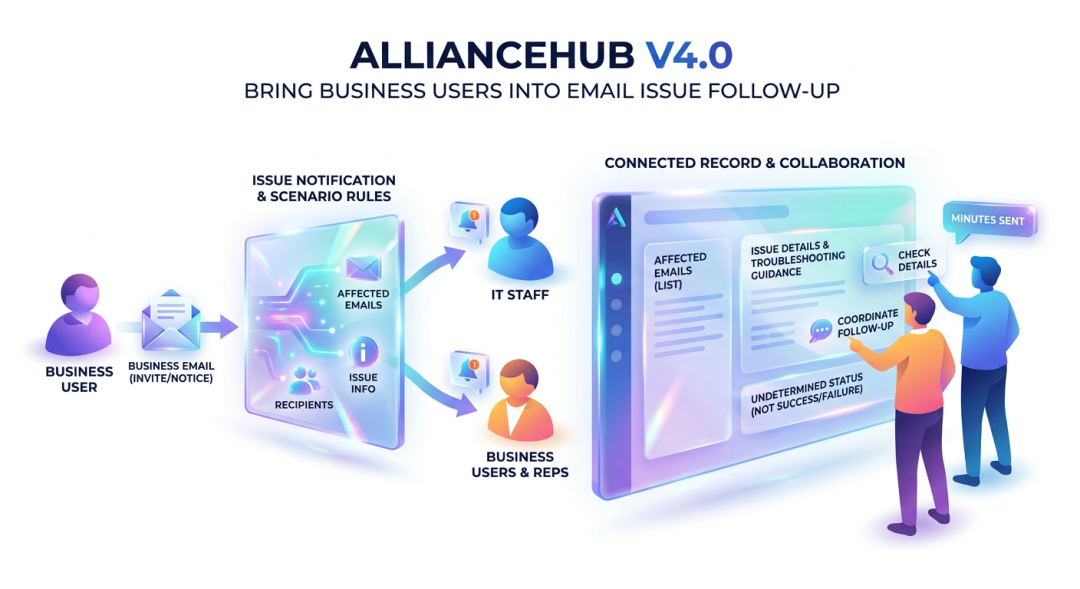
After sending a meeting invitation, notice, or another business email, the people responsible may need to know whether a delivery issue requires attention.
V4.0 extends email issue notifications beyond IT staff to designated organization business representatives and the relevant business users, according to the rules for each scenario. This gives people closer to the activity a more direct view of issues affecting their communications.
Notifications consolidate issue information around the relevant business operation. They identify the affected emails and recipients, explain the issues, and provide access to troubleshooting guidance. When a delivery result is still undetermined, the notification makes that distinction clear rather than treating it as a confirmed success or failure.
Connecting this information to the original activity helps business users and IT staff work from the same facts. They can check recipient details, understand the reported issue, and coordinate the appropriate follow-up.
IV. Make Everyday Creation and Personnel Management Easier
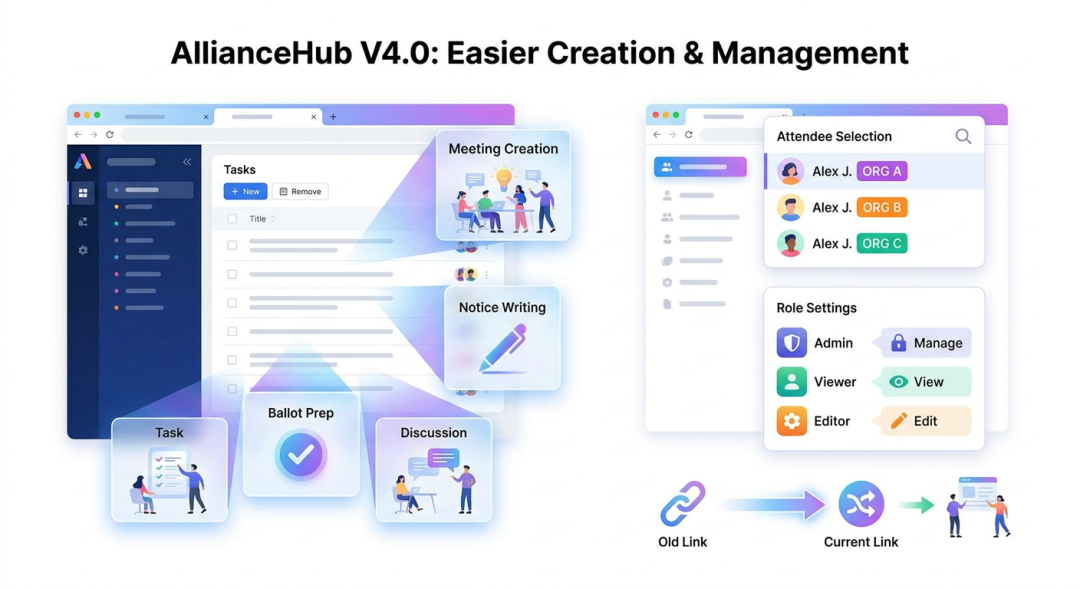
Creating a meeting, preparing a ballot, or writing a notice often involves referring back to information already on screen. In V4.0, creation entry points for meetings, ballots, notices, proposals, Topic Calls, tasks, and discussions open in a separate browser tab on both desktop and mobile. Users can keep the original page available, complete the new item in its own tab, and continue to its details after creation.
Selecting people is also clearer. Where available, the abbreviated name of a person’s associated organization appears alongside their existing name information in selection interfaces. This helps users distinguish people with the same name when choosing meeting attendees, ballot participants, and other collaborators.
Role settings also gain descriptions of responsibilities and permissions. These explanations help organization administrators understand the available roles and make more informed assignments.
In addition, links using an organization’s previous address identifier can direct users to the current address after that identifier changes, preserving continuity for previously shared links.
From Group guidance and offline ballot records to email issue follow-up and everyday creation, AllianceHub V4.0 makes practical improvements to how organizations access information, retain documentation, and carry work forward.