How does international organization manage meeting?
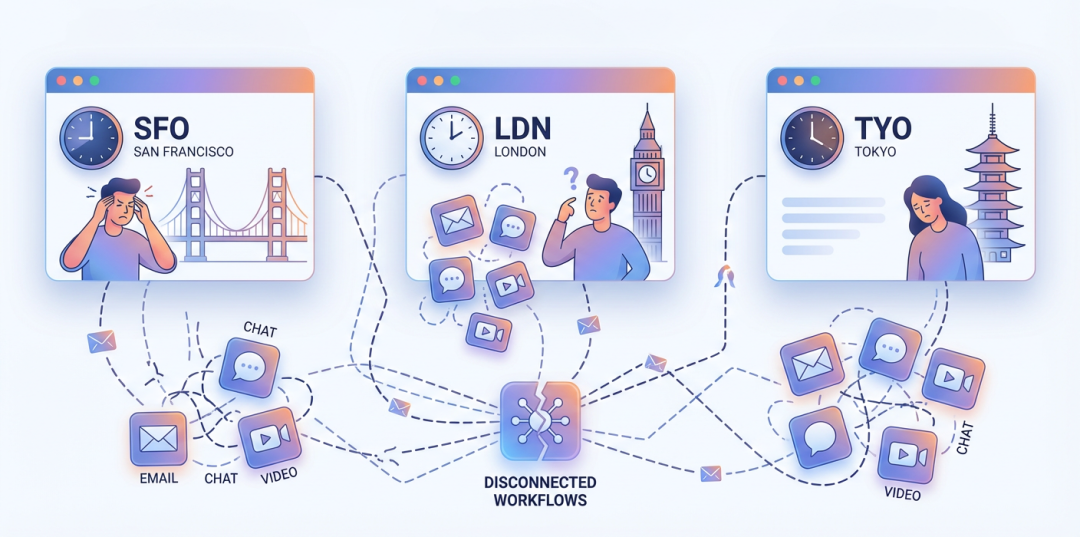
Let’s say there is an international organization with R&D centers spanning San Francisco, London, and Tokyo. Their product development team covers three major time zones, making coordination a daily challenge. Before using AllianceHub, they likely struggle with scattered meeting information across emails, chat applications, and separate video conferencing platforms.
Challenge: Scheduling Across Time Zones
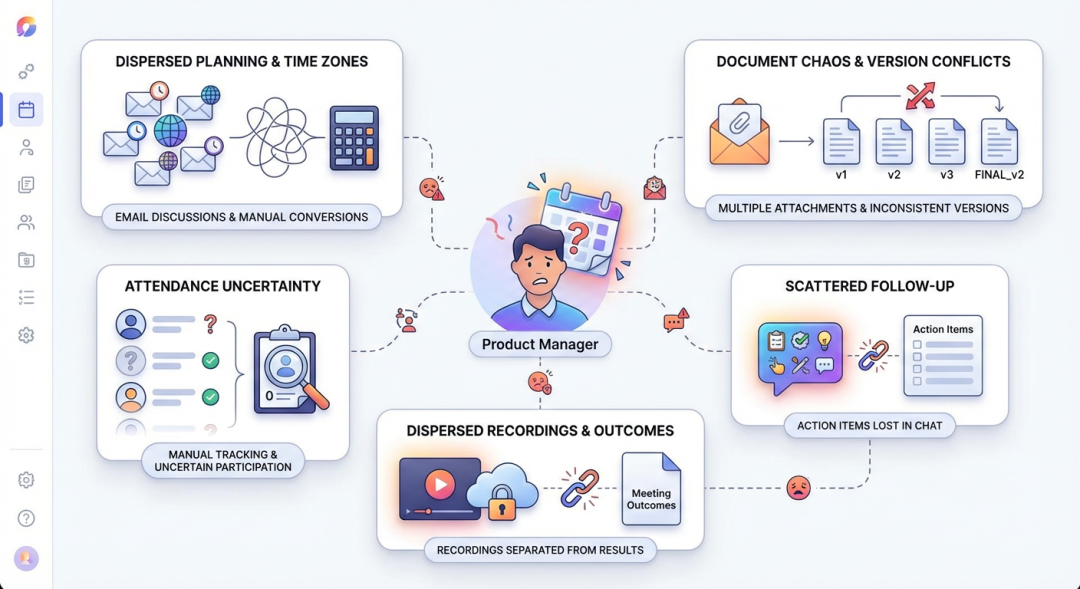 When a product manager needs to schedule a critical cross-team meeting, they would typically face multiple hurdles:
- scattered planning: Meeting times are discussed in email threads, with timezone conversions done manually
- material chaos: Pre-read documents are shared via email attachments, often arriving in different versions
- attendance uncertainty: Team leads have to manually track who is attending across different teams
- follow-up fragmentation: Action items get lost in chat conversations, with no central repository
- recording dispersion: Meeting recordings are stored in video platforms separately from meeting outcomes
Solution: Unified Meeting Management with AllianceHub
AllianceHub provides a centralized meeting management platform that integrates with existing video conferencing tools. Here’s how it transforms international collaboration:
1. Online Meeting Integration: Multiple Platform Support
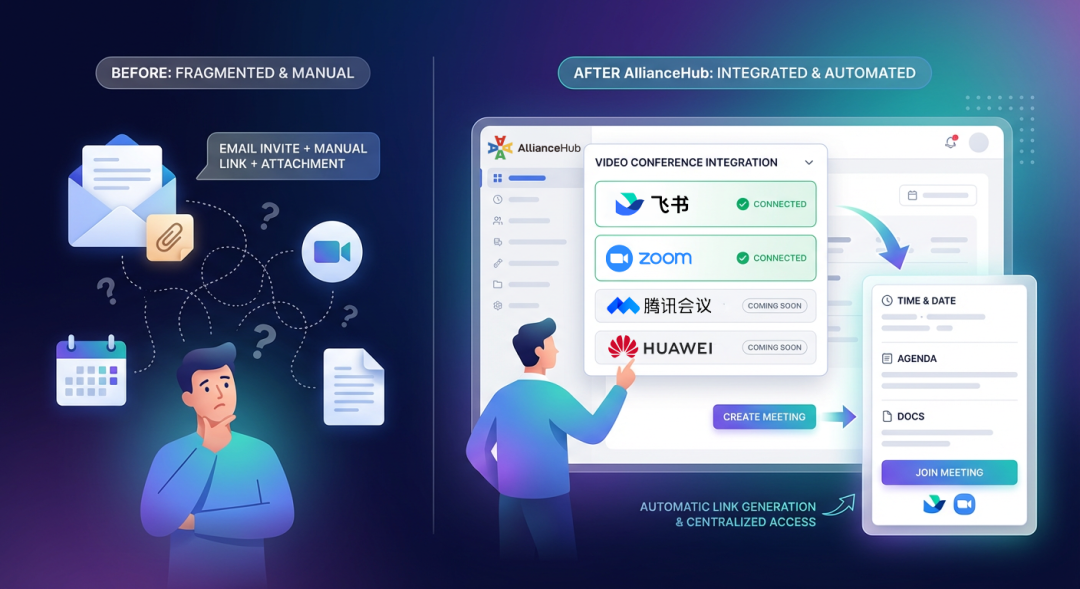
Organization administrators can configure their preferred video conferencing tool at the organizational level. AllianceHub currently supports:
- Feishu Meetings: Full integration with automatic meeting link generation
- Zoom: Official integration support with deep data synchronization
- Future platforms: Tencent Meeting and Huawei Meeting integration coming soon
Once configured, team leads can create meetings directly within AllianceHub. The system automatically generates and displays corresponding online meeting information, including meeting links for participant access.
Before: Meeting creator sends email invites, separately generates a video meeting link, then manually attaches documents.
After: Meeting creator creates a meeting in AllianceHub, selects their preferred meeting method, and the system automatically generates the meeting link. All attendees see time, agenda, materials, and meeting access point in one place.
2. Meeting Recordings and AI Summaries: Unified Outcome Management
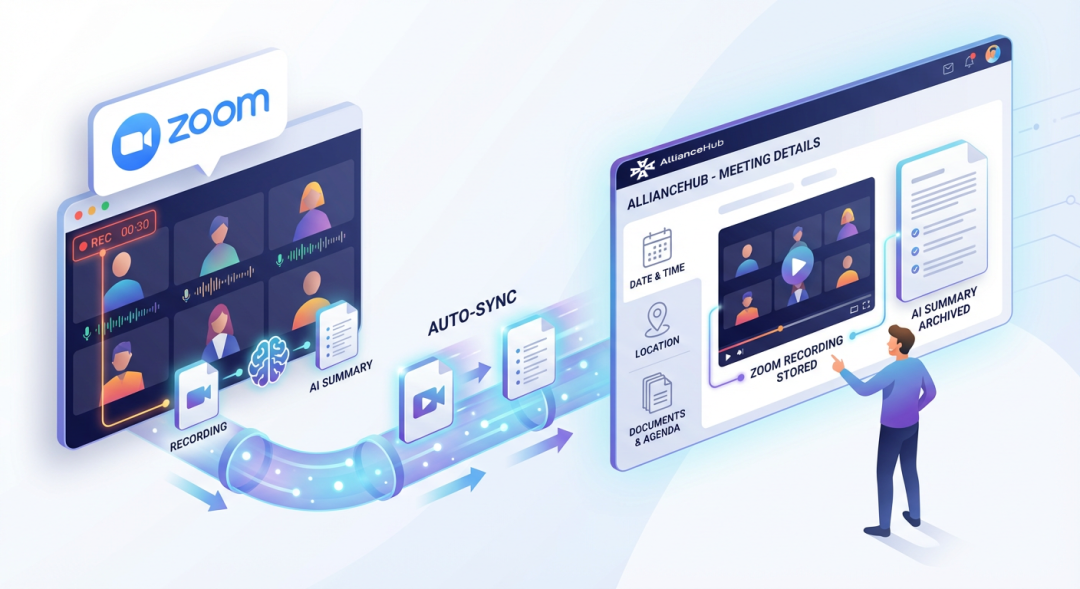
For Zoom integration specifically, AllianceHub provides deeper data synchronization:
- Automatic Recording Transfer: After Zoom meeting recordings are completed, AllianceHub automatically syncs and stores recording files to the platform
- AI Summary Auto-Archiving: AI summaries generated from Zoom meetings are also synced and saved to AllianceHub
- Unified Viewing and Management: Users can directly view and manage meeting recordings and AI summaries in AllianceHub’s meeting details page
This capability ensures that meeting outcomes—recordings and summaries—are stored alongside meeting metadata and materials, creating a complete meeting record within one platform.
3. Meeting Invitation Parsing: Quick Sync from External Platforms

When users need to sync meeting invitations generated by external meeting platforms to AllianceHub, the system can automatically recognize and parse invitation text from mainstream meeting platforms:
- Tencent Meeting
- Zoom
- Feishu
- WeCom (Enterprise WeChat)
- DingTalk
- Huawei Meeting
Users simply need to paste meeting invitation content, and the system will automatically extract meeting links and related information, helping users quickly create meetings, reducing redundant data entry, and improving meeting creation efficiency.
4. Centralized Calendar: Planning Across Time Zones
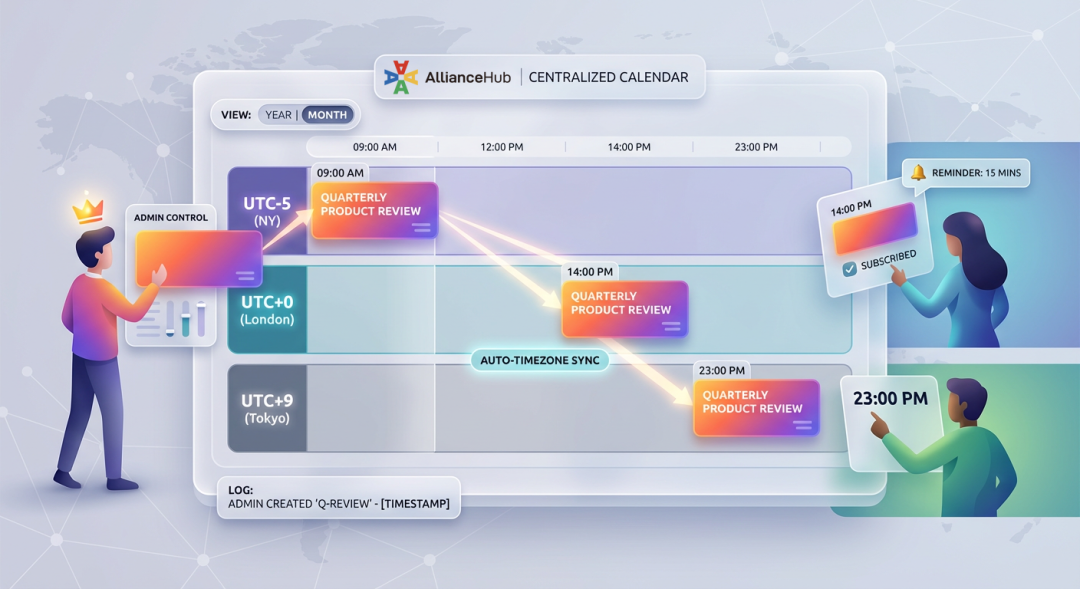
The Calendar feature is essential for cross-timezone planning:
- Yearly and monthly views: Program managers can see organizational activities at a glance across all teams
- Subscription-based reminders: Members can subscribe to relevant events and receive automatic notifications before events
- Schedule administrator control: Designated managers can centrally add or cancel schedules, with all operations logged
When planning a quarterly product review, one team lead sets the meeting time. Other team leads see it automatically in their calendar with timezone applied. No manual conversion calculations needed.
5. Material Management: Consistent Information Access
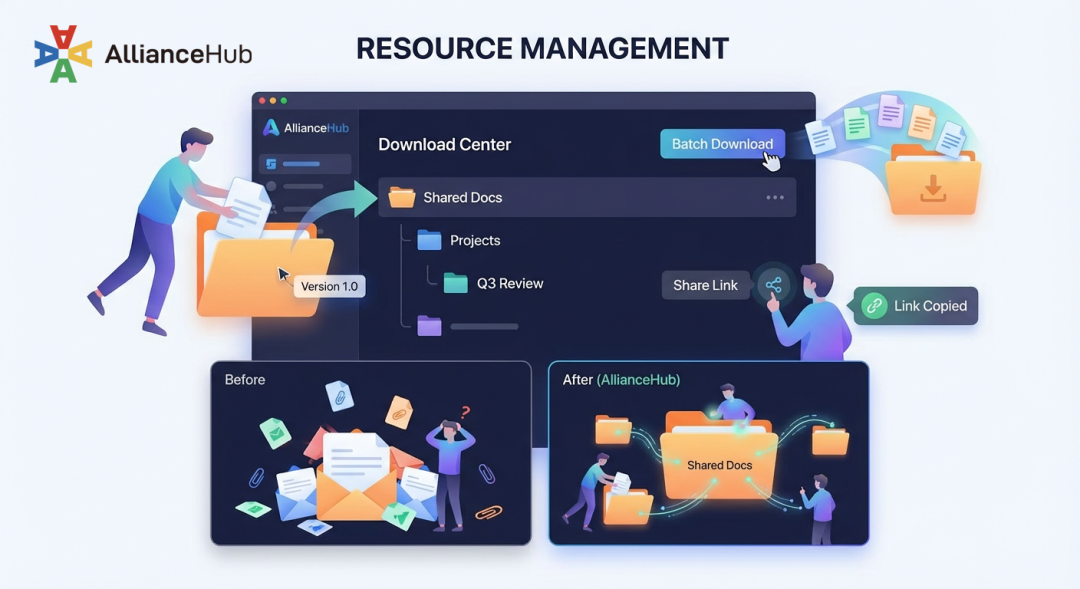
Meeting materials are organized in AllianceHub’s Downloads with multi-level folder structure:
- Pre-read consistency: Documents like market research are uploaded to a shared folder
- Version control: Folders support moving and renaming for flexible material structure management
- Folder batch download: Enables one-click batch download of entire folders for efficient material retrieval
- Folder link sharing: One folder link shared to all attendees ensures everyone accesses the same materials
Without a centralized platform, different team members might reference different versions of documents because attachments are scattered across emails. With AllianceHub, everyone works from the same source.
6. Module Management: Control Feature Visibility
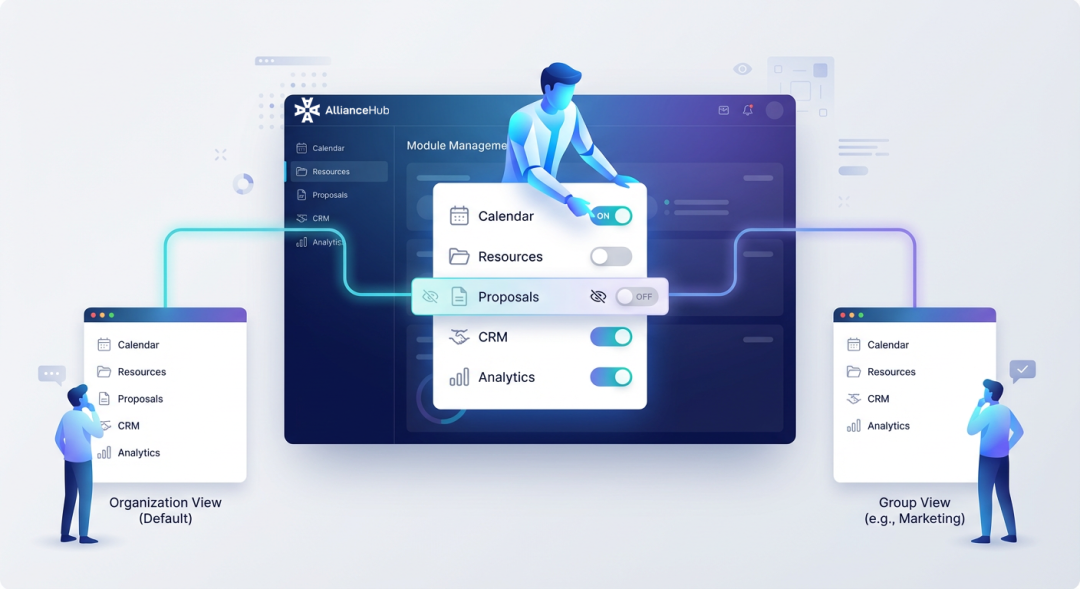
Different organizations and groups have different needs for platform features. AllianceHub provides module management capabilities:
- Organization-level module management: Organization administrators can choose to hide or display functional modules based on organizational needs
- Group-level module management: Administrators can configure module visibility separately for different groups
For example, if a group doesn’t require proposal management, the “Proposal” module can be hidden. This keeps the platform interface streamlined and focused on relevant functions.
7. Permission Control: Resource Allocation Across Teams
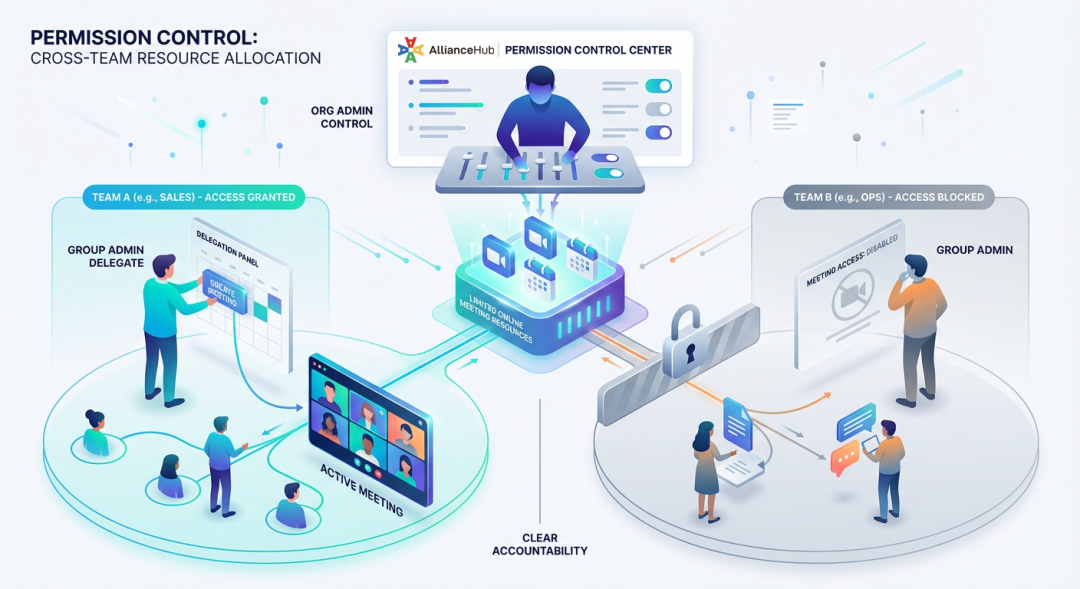
Not every team needs online meeting capability. Since online meeting resources are limited, AllianceHub provides granular permission control:
- Administrative control: Organization admin decides which groups can use online meetings
- Operational delegation: Group administrators handle meeting creation and modification
- Clear accountability: Meeting responsibilities are clear, reducing cross-role confusion
Teams that don’t require online meetings for their internal syncs wouldn’t have access to meeting resources—keeping allocation efficient and standardized.
8. Member-Group Relationship Visibility: Clearer Management
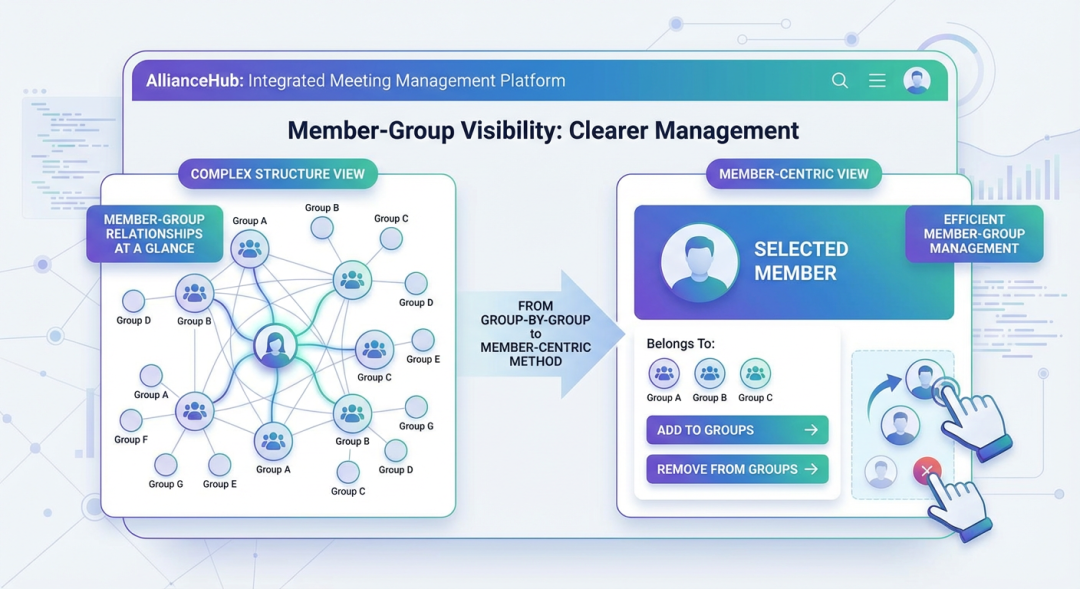
For organizations with large member populations or complex group structures:
- Member-group relationships at a glance: In the member list, administrators can quickly view which groups a specific member belongs to
- More efficient member-group management: Supports quickly adding members to multiple groups or removing them from specific groups
This optimization transforms member management from a “group-by-group maintenance” approach to a “member-centric” management method.
9. Mobile Access: Participation from Anywhere
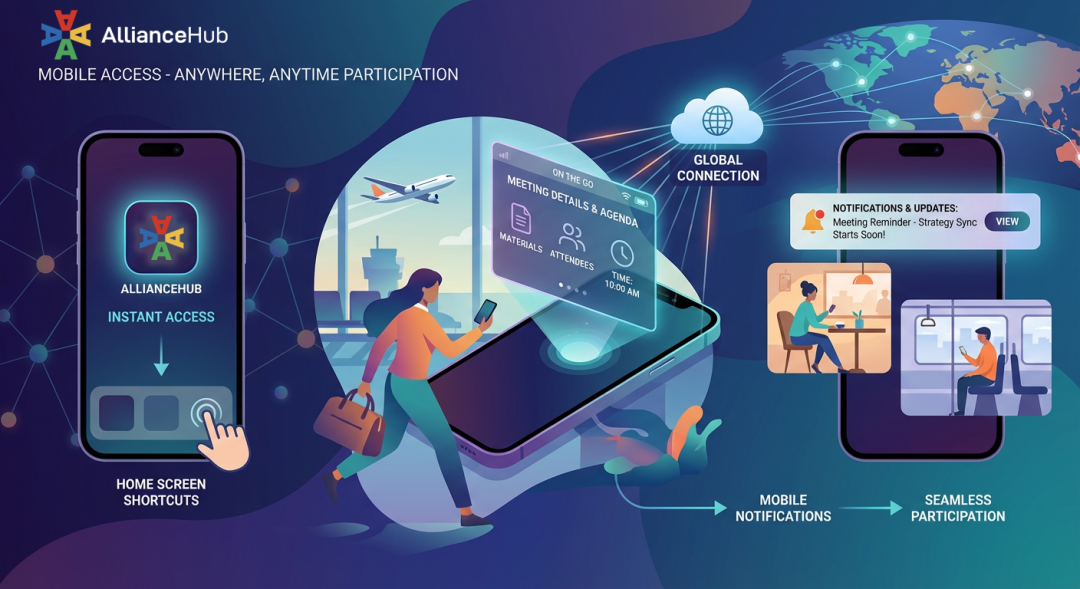
Team members frequently travel or work remotely. AllianceHub’s mobile support means:
- Quick access: Members can add AllianceHub to their phone home screen for instant access
- Meeting information on the go: View meeting details, agendas, and materials from mobile devices
- Notification reception: Receive meeting reminders and updates without opening a laptop
When team members are traveling, they can still access meeting information and materials from their phones, ensuring participation without disruption.
Before and After: The Impact
| Aspect | Before AllianceHub | With AllianceHub |
|---|---|---|
| Meeting invitations | Email threads with manual tracking | Centralized with automatic notifications |
| Timezone coordination | Manual calculations, frequent errors | Automatic timezone display in calendar |
| Material access | Email attachments, version confusion | Shared folders, single source of truth |
| Meeting access | Separate video platform login | One-click access from meeting details |
| Meeting recordings | Stored in video platform separately | Synced to AllianceHub with AI summaries |
| Follow-up tracking | Lost in chat history | Centralized in meeting details |
| Platform integration | Manual copying of meeting invitations | Automatic parsing from mainstream platforms |
Key Features for International Organizations
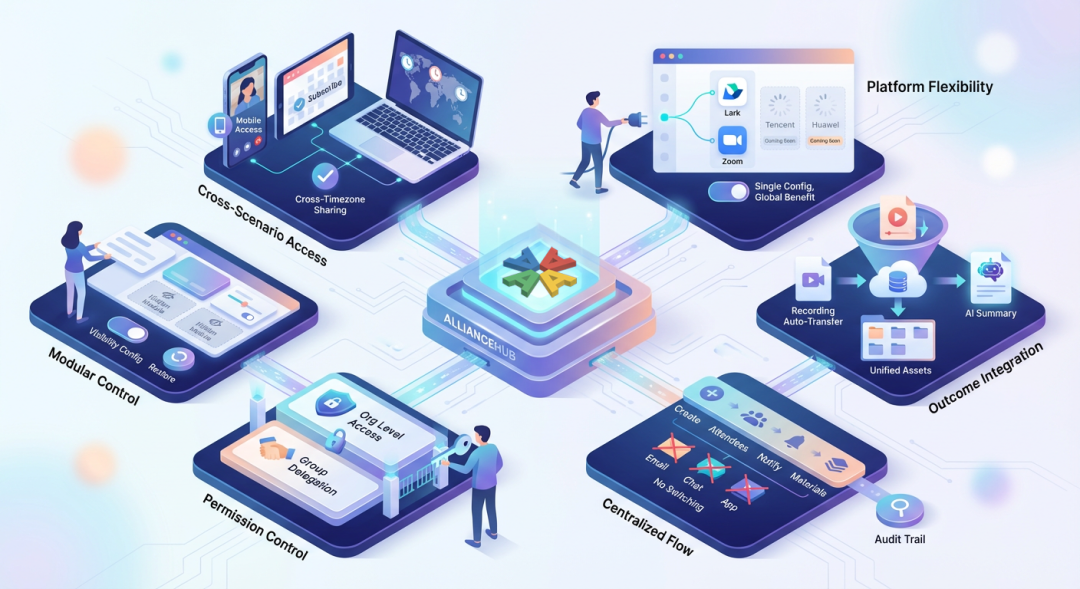 1. Meeting Platform Flexibility
- Currently supports Feishu Meetings and Zoom integration
- Coming support for Tencent Meeting and Huawei Meeting
- One configuration at org level, all groups benefit
2. Meeting Outcome Consolidation
- Automatic recording transfer from Zoom to AllianceHub
- AI summary auto-archiving from online meetings
- Unified viewing and management of meeting materials
3. Centralized Information Flow
- Meeting creation, attendee management, notifications, and materials in one workflow
- No context switching between email, chat apps, and video platforms
- Clear audit trail for all meeting-related operations
4. Permission-Based Resource Control
- Organization-level control over which groups can access meeting resources
- Group-level delegation for meeting operations
- Ensures resources are used efficiently and according to standards
5. Module-Level Feature Control
- Hide unused modules to keep interface focused
- Configure feature visibility at organization and group levels
- Restore modules when needed without additional configuration
6. Cross-Scenario Access
- Mobile access for remote participants
- Calendar subscription for proactive planning
- Material sharing that works across time zones and devices
Conclusion
International organizations face unique collaboration challenges: time zone differences, scattered teams, and multiple tools in use. AllianceHub addresses these challenges by providing a unified meeting management layer that integrates with existing video conferencing platforms while centralizing meeting metadata, materials, recordings, and coordination.
This means less time spent on coordination logistics and more focus on productive collaboration. Meeting information is consistent, accessible, and traceable across all teams—regardless of location or time zone.