
Understanding Topic Calls: Structured Input Collection for Alliances
International alliances thrive on member participation. Whether gathering ideas for new standards, collecting feedback on strategic direction, or sourcing topics for upcoming meetings, alliances need efficient ways to engage their members. But there’s a gap between informal discussion (which lacks structure) and formal proposals (which require significant effort to prepare).
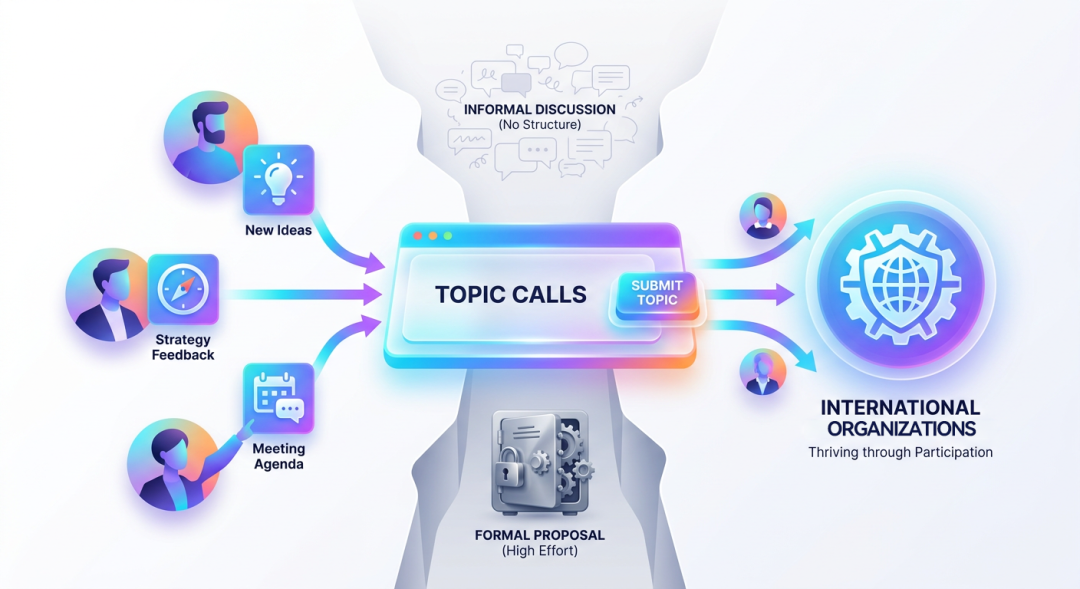 This is where Topic Calls come in.
Let’s say there was an international standards alliance planning their annual technical summit. The steering committee needs to identify which standards deserve discussion, but they don’t want to limit input to only those members with time to prepare full proposals. They also don’t want ideas scattered across email threads and chat messages where they get lost.
The Challenge: Capturing Ideas Without Overwhelming Members
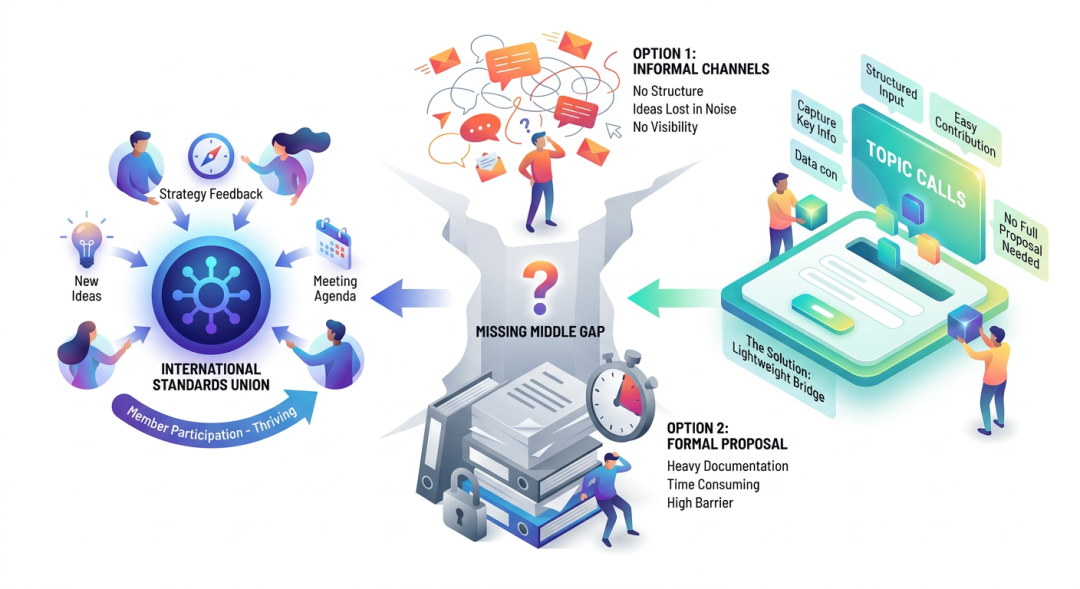 Traditional approaches to gathering member input face a common dilemma:
Option 1: Informal Channels
- Ideas shared via email lists or in meetings
- No structured way to collect, track, or evaluate input
- Good ideas get buried in message history
- No visibility into what others are suggesting
Option 2: Formal Proposals
- Require significant preparation and documentation
- Members may have good ideas but lack time for full proposals
- Creates barrier to participation
- Results in fewer contributions overall
The middle ground is missing—a lightweight way for members to suggest topics that captures key information without requiring full proposal preparation.
Solution: AllianceHub Topic Calls
Topic Calls fill this gap by providing a structured but lightweight mechanism for collecting member input. They sit between informal discussion and formal proposals, offering the right balance of structure and accessibility. 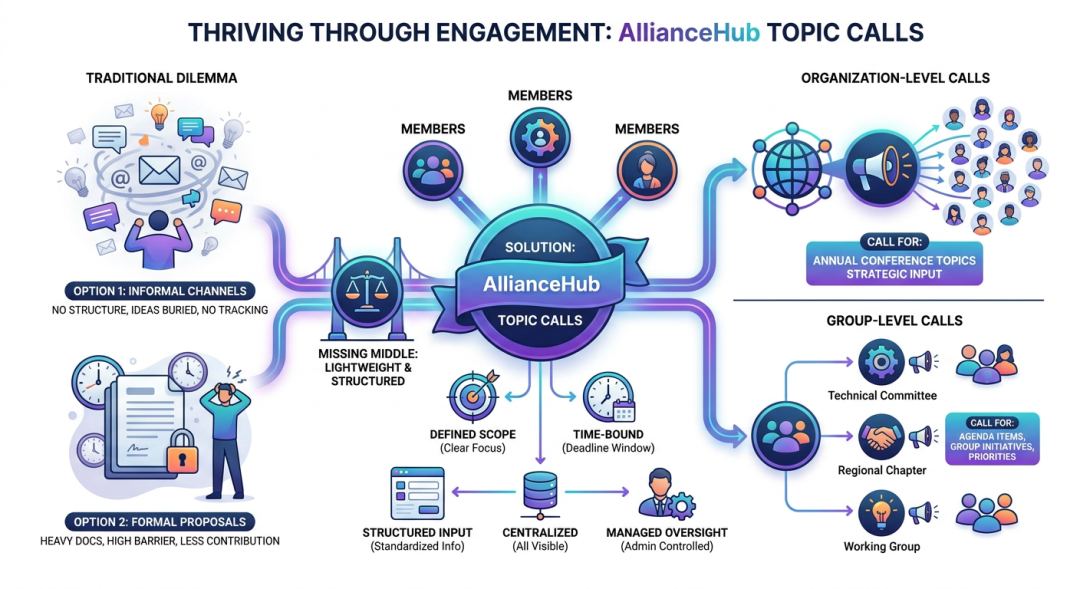
What Is a Topic Call?
A Topic Call is a time-bound invitation for members to submit ideas, suggestions, or topics on a specific theme. Think of it as a “call for papers” or “request for input” mechanism built into your alliance platform.
Key characteristics:
- Defined scope: Each call has a clear theme or area of focus
- Time-limited: Submission windows with clear start and end dates
- Structured input: Submitters provide standardized information about their topic
- Centralized collection: All submissions visible in one place
- Administrative oversight: Managed by designated administrators
Two Levels: Organization-Wide and Group-Specific
AllianceHub supports Topic Calls at two levels to match different collaboration needs:
Organization Topic Calls
Who can initiate: Topic Call Administrators
Scope: Open to all members across the entire organization
Use cases:
- Gathering topics for an annual general meeting
- Collecting strategic input on alliance-wide initiatives
- Sourcing ideas for new working groups or committees
- Crowdsourcing themes for conferences or publications
When an organization-wide Topic Call is launched, every member sees it and can participate. This ensures broad input for matters affecting the entire alliance.
Group Topic Calls
Who can initiate: Group Administrators
Scope: Limited to members of the specific group
Use cases:
- Collecting agenda items for a technical committee meeting
- Gathering input on group-specific standards or initiatives
- Sourcing discussion topics for regional chapter meetings
- Identifying priorities within a specialized working group
Group Topic Calls enable focused input collection within specific communities, keeping discussions relevant to the group’s charter.
The Topic Call Lifecycle
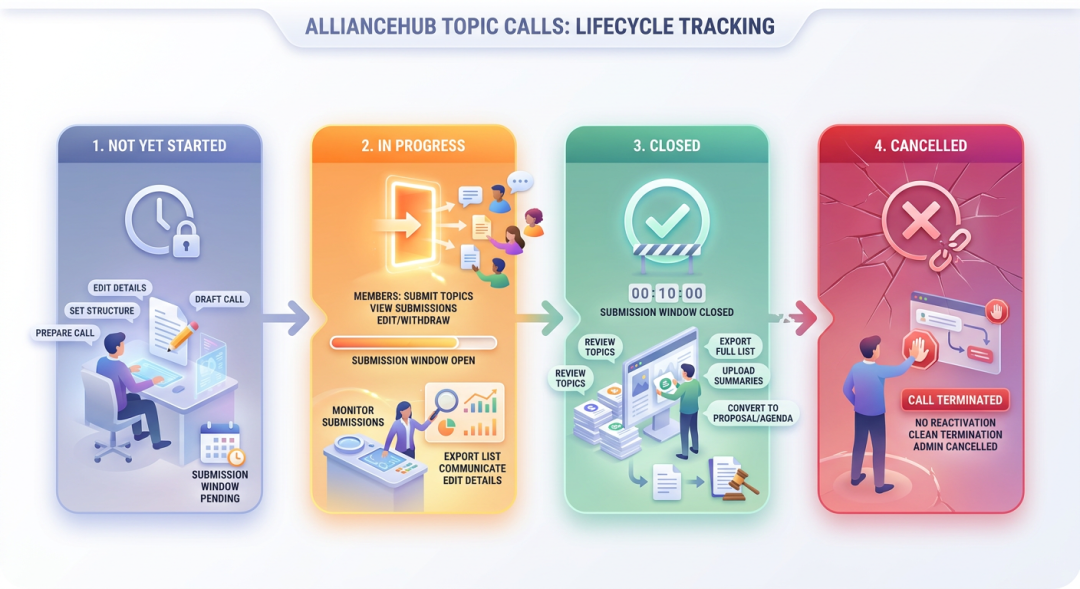 Topic Calls follow a clear lifecycle that administrators and participants can track:
1. Not Yet Started
The Topic Call has been created but the submission window hasn’t opened. Administrators can:
- Edit all details (theme, timeline, description, attachments)
- Prepare the call before announcing it
- Set up the structure for when submissions open
2. In Progress
The submission window is open. Members can:
- View the Topic Call details
- Submit their topics with required information
- See what others have submitted (depending on configuration)
- Edit or withdraw their own submissions
Administrators can:
- Monitor incoming submissions
- Export the current list of topics
- Edit call details if needed
- Communicate with submitters
3. Ended
The submission window has closed. No new submissions can be added. Administrators can:
- Review all collected topics
- Export the complete topic list for analysis
- Upload meeting minutes summarizing outcomes
- Transition selected topics to formal proposals or meeting agendas
4. Cancelled
The call has been cancelled (typically by administrators). Once cancelled, the call cannot be reactivated. This provides a clean way to terminate calls that are no longer relevant.
What Gets Collected?
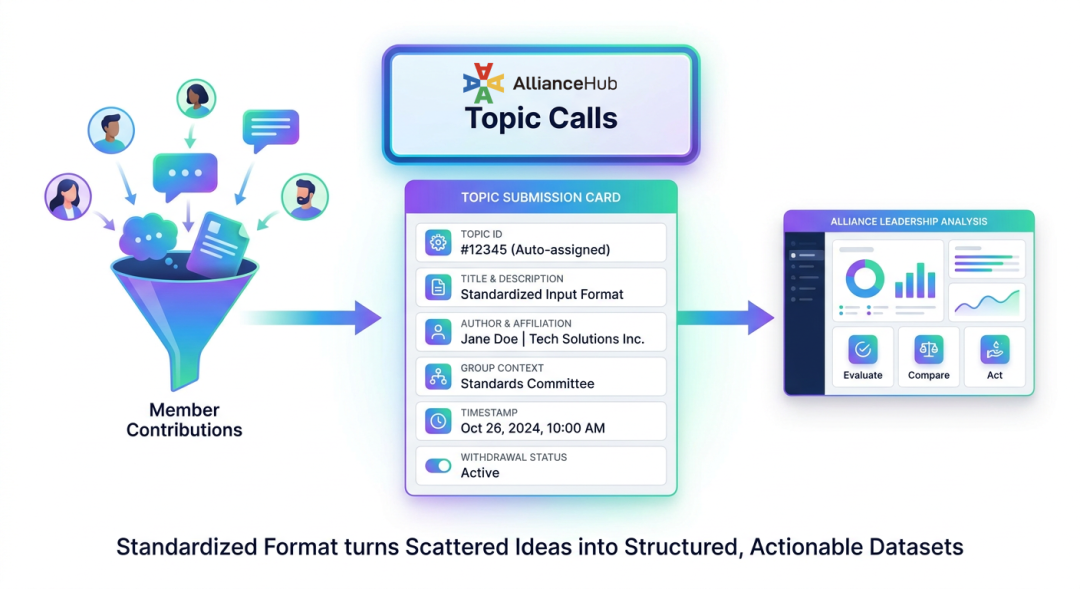 Each topic submission captures consistent information, making it easy to compare and evaluate contributions:
Submission details include:
- Topic number (auto-assigned for tracking)
- Topic title and description
- Author information and affiliation
- Group membership context
- Submission timestamp
- Withdrawal status (if applicable)
This standardized format transforms scattered ideas into a structured dataset that alliance leadership can analyze and act upon.
Administrative Controls
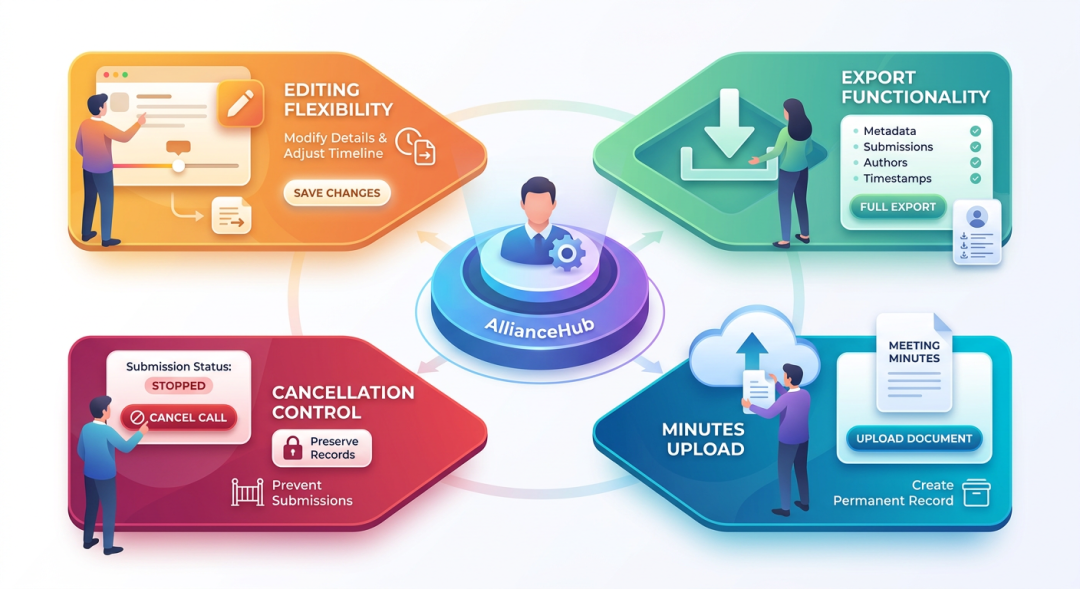
Topic Calls provide robust administrative capabilities:
Editing Flexibility Administrators can modify Topic Call details throughout the entire lifecycle—even after submissions have begun. This allows adjustments to timelines, descriptions, or attachments as circumstances evolve.
Export Capabilities Both organization and group Topic Calls support complete export of:
- Call metadata (theme, status, timeline, description)
- All submitted topics with full details
- Author information and affiliations
- Submission timestamps
Exports are available at any point and accessible through the personal center’s download history.
Minutes Upload After a Topic Call concludes, administrators can upload meeting minutes or summary documents that capture outcomes. These become part of the permanent record, providing context for how submitted topics were addressed.
Cancellation Control If circumstances change, administrators can cancel in-progress calls. This prevents further submissions while preserving the record of what was already collected.
Practical Example: Annual Summit Planning
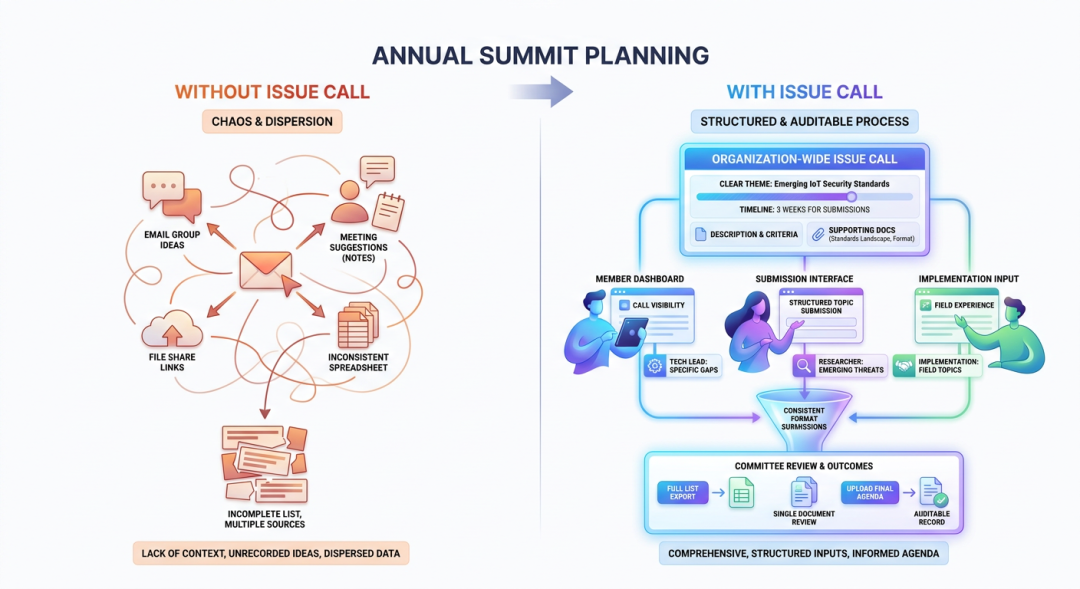 Let’s revisit our standards alliance preparing for their technical summit:
Without Topic Calls
The steering committee sends an email requesting topic suggestions. Responses trickle in over weeks:
- Some members reply with ideas in email threads
- Others mention suggestions in meetings that someone takes notes on
- A few share documents via file sharing links
- The committee secretary compiles suggestions into a spreadsheet
- Some suggestions lack context—who proposed it? What’s the scope?
- Several good ideas were mentioned in side conversations but never formally captured
Result: The committee has an incomplete, inconsistent list of potential topics scattered across multiple sources.
With Topic Calls
The steering committee creates an organization-wide Topic Call:
- Clear theme: “Standards for Emerging IoT Security Requirements”
- Defined timeline: Submissions accepted for three weeks
- Description explains what they’re looking for and selection criteria
- Supporting documents attached: current standards landscape, meeting format
Members across the alliance see the call in their dashboard and submit structured topics:
- Technical leads from member companies suggest specific standards gaps
- Researchers submit emerging threat topics
- Implementation teams share field experience topics
Each submission follows the same format, making comparison easy. The committee:
- Exports the complete list for review
- Reviews all submissions in a single document
- Selects topics for summit agenda based on consistent information
- Uploads the final agenda as meeting minutes
Result: A comprehensive, structured collection of member input informing the summit agenda—with an auditable record of the process.
Topic Calls vs. Proposals: Understanding the Distinction
Topic Calls and Proposals are complementary features serving different purposes:
| Aspect | Topic Calls | Proposals |
|---|---|---|
| Purpose | Collect ideas and input | Drive formal decision-making |
| Preparation required | Low—basic description | High—detailed documentation |
| Lifecycle | Input collection window | Multi-stage review workflow |
| Outcome | Topics for consideration | Formal decisions or standards |
| Participation barrier | Low | Higher |
| Integration | Often feeds into meetings | Often feeds into ballots |
When to use Topic Calls:
- You want to gather ideas broadly
- You’re planning meetings or events
- You need member input before formal processes
- You want low barrier to participation
When to use Proposals:
- You need formal review and approval
- You’re adopting standards or making binding decisions
- You require detailed documentation
- You need structured multi-stage workflows
They work together: Topic Calls often feed into Proposals. A member submits a topic, which gets discussed in a meeting, then evolves into a formal proposal for adoption.
Key Benefits for International Alliances
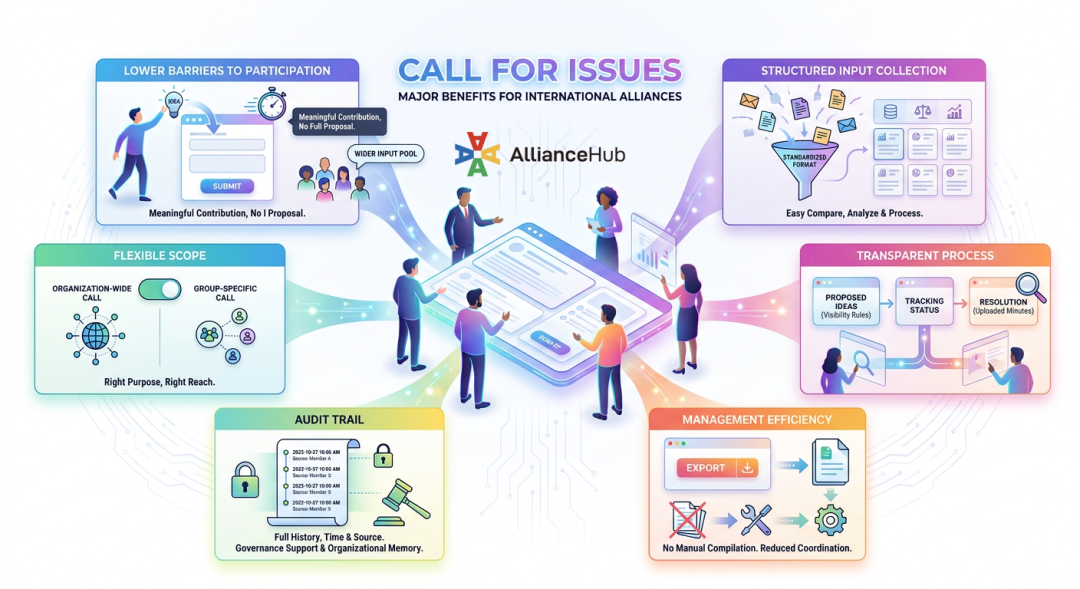 1. Lower Participation Barriers Members with good ideas but limited time can contribute meaningfully without preparing full proposals. This broadens the input pool beyond those with dedicated standards staff.
2. Structured Input Collection Standardized submission formats make it easy to compare, analyze, and act on member contributions. No more parsing unstructured emails or meeting notes.
3. Transparent Process Members can see what’s being proposed (within visibility rules), track the status of calls they’re interested in, and understand how input was handled through uploaded minutes.
4. Administrative Efficiency Export capabilities eliminate manual compilation of suggestions. Centralized management reduces coordination overhead for input collection.
5. Audit Trail Complete history of what was collected, when, and from whom—supporting governance requirements and providing organizational memory.
6. Flexible Scoping Organization-level calls for alliance-wide matters, group-level calls for focused communities. The right scope for the right purpose.
Best Practices for Effective Topic Calls
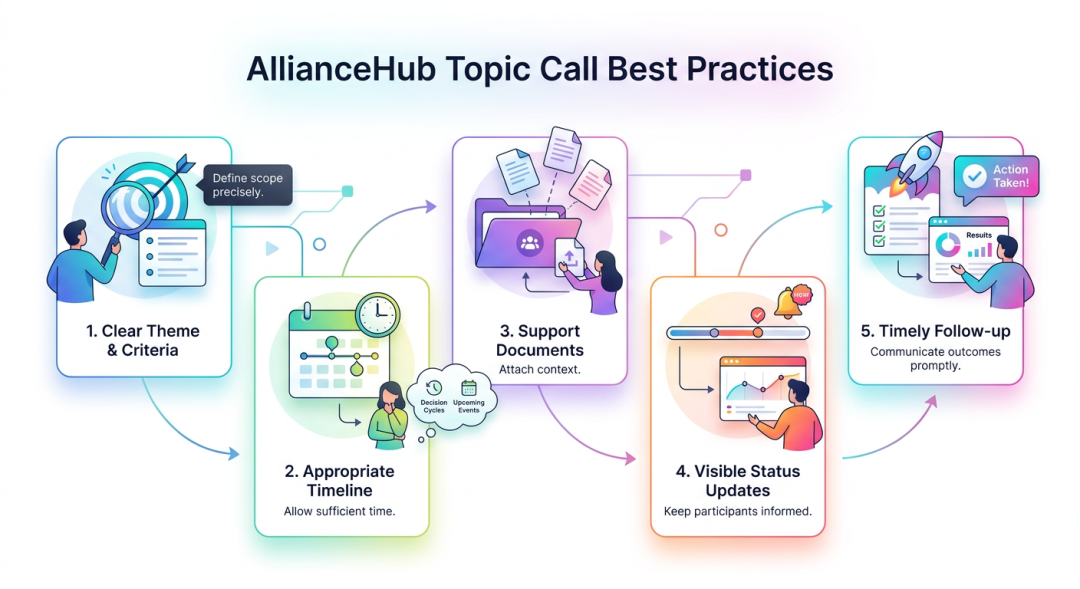 1. Clear Theme and Criteria Define the Topic Call scope precisely. Members submit better input when they understand exactly what you’re looking for.
2. Appropriate Timeline Provide enough time for members to consider and submit, but not so much that urgency is lost. Consider:
- Member organization decision cycles
- Upcoming events or deadlines
- Competing priorities in your alliance calendar
3. Supporting Documentation Attach relevant background documents that help submitters understand context and align their contributions.
4. Visible Status Updates Keep participants informed about the call’s progress, any timeline changes, and how submitted topics will be used.
5. Timely Follow-Through After the call ends, process submissions promptly and communicate outcomes. Members engage more when they see their input leads to action.
Conclusion
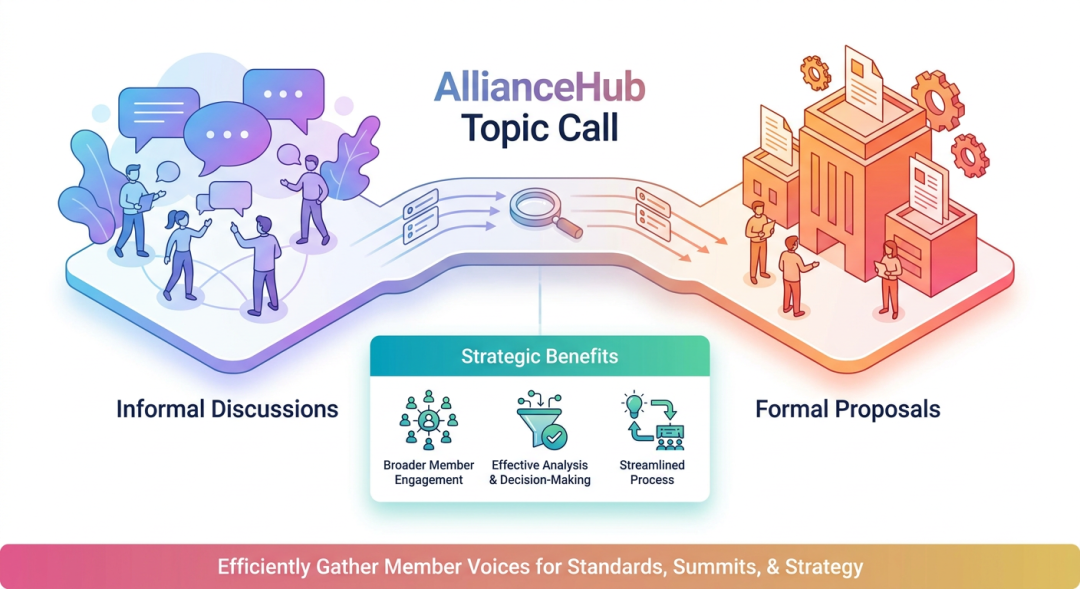 Topic Calls bridge an important gap in alliance collaboration—the space between informal discussion and formal proposals. By providing structured but lightweight input collection, they enable broader member participation while maintaining the organization needed for effective analysis and decision-making.
For international alliances, this means more voices contributing ideas, clearer visibility into member priorities, and streamlined processes for gathering the input that informs standards, meetings, and strategic direction. Whether you’re planning a major summit, identifying priorities for a technical committee, or seeking broad strategic input, Topic Calls provide the mechanism to collect member voices efficiently and effectively.